Are you wondering what HDMI cables are actually for? You're not alone. 'HDMI cable is for what' is one of the most frequently searched questions when it comes to home entertainment and device connectivity. In this comprehensive guide, we'll explain everything you need to know about HDMI cables, their purposes, and how to choose the right one for your specific needs.
What Is an HDMI Cable?
HDMI (High-Definition Multimedia Interface) is a standard cable type designed to transmit uncompressed digital audio and video signals between devices. Since its introduction in 2002, HDMI has become the universal connection standard for modern entertainment and computing devices, replacing older analog standards like VGA, DVI, and component video.
What HDMI Cables Are For: Primary Uses
HDMI cables serve multiple purposes across various applications:
1. Connecting Video Sources to Displays
The most common use of HDMI cables is connecting video source devices to display devices:
- TV Connections: Connecting cable/satellite boxes, streaming devices, Blu-ray players, and gaming consoles to your television
- Computer Displays: Connecting laptops, desktops, and tablets to monitors, projectors, or TVs
- Presentation Equipment: Linking laptops to projectors in conference rooms and classrooms
2. Audio Transmission
HDMI cables don't just carry video—they transmit high-quality digital audio as well:
- Surround Sound: Delivering multi-channel audio formats like Dolby Digital, DTS, and Dolby Atmos
- Audio Return Channel (ARC): Allowing TVs to send audio back to sound systems with a single cable
- Enhanced Audio Return Channel (eARC): Supporting higher-bandwidth audio formats in newer HDMI versions
3. Smart Home Integration
HDMI plays a crucial role in modern smart home setups:
- Central Entertainment Hubs: Connecting multiple devices to AV receivers
- Home Theater Systems: Creating immersive entertainment experiences
- Gaming Setups: Linking game consoles, PCs, and peripherals
4. Professional Applications
HDMI isn't limited to home use—it's vital in professional environments too:
- Digital Signage: Powering commercial displays and interactive kiosks
- Medical Imaging: Transmitting high-resolution diagnostic images
- Broadcast Equipment: Connecting production and monitoring devices
Types of HDMI Cables Explained
Not all HDMI cables are created equal. Here's a breakdown of the different types available:
Standard HDMI Cables
These are categorized by version, with each supporting different features and capabilities:
- HDMI 1.4: Supports 4K at 30Hz, 3D video, and Audio Return Channel
- HDMI 2.0: Supports 4K at 60Hz, HDR, and wider color gamuts
- HDMI 2.1: Supports 8K and 10K resolution, Dynamic HDR, enhanced gaming features, and eARC
HDMI Cable Categories
Beyond versions, HDMI cables are also classified by certified speed capabilities:
- Standard HDMI: Supports up to 1080i (older technology)
- High Speed HDMI: Supports up to 4K at 30Hz
- Premium High Speed HDMI: Supports up to 4K at 60Hz with HDR
- Ultra High Speed HDMI: Supports up to 8K at 60Hz or 4K at 120Hz
How to Choose the Right HDMI Cable
With so many options available, selecting the appropriate HDMI cable can be confusing. Here's how to make the right choice:
Consider Your Devices
- Resolution Requirements: Match your cable to your display's maximum resolution
- 1080p: High Speed HDMI is sufficient
- 4K: Premium High Speed HDMI is recommended
- 8K: Ultra High Speed HDMI is necessary
- Feature Requirements: Identify which HDMI features you need
- Gaming with VRR: HDMI 2.1 features
- Audio system with eARC: HDMI 2.1
- Basic TV watching: HDMI 2.0 is adequate
Cable Length Matters
HDMI signal quality can degrade with distance, especially at higher resolutions:
- Short distances (under 15 feet): Standard passive HDMI cables work well
- Medium distances (15-50 feet): Active HDMI cables with built-in signal boosters
- Long distances (over 50 feet): HDMI extenders or fiber optic HDMI cables
Special Requirements
Some situations require specialized HDMI cables:
- In-wall installation: Look for CL2 or CL3 rated cables
- Outdoor use: Weather-resistant and UV-protected cables
- Frequent connecting/disconnecting: Reinforced connectors for durability
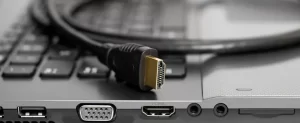
hdmi cable is for what
Common HDMI Problems and Solutions
Even with the right cable, you might encounter issues. Here are solutions to common problems:
No Signal or Intermittent Connection
- Check physical connections: Ensure cables are fully inserted
- Try another port: Test different HDMI ports on both devices
- Reset equipment: Power cycle all connected devices
- Test another cable: Rule out cable damage
Audio Issues
- Check audio settings: Ensure output is set to HDMI
- Verify ARC/eARC compatibility: For soundbar/receiver setups
- Update device firmware: Manufacturers often fix audio bugs
Resolution Problems
- Check device compatibility: Confirm both devices support the desired resolution
- Update graphics drivers: For computers with resolution issues
- Try shorter cable: Long cables may not support highest resolutions
HDMI Cable Myths Debunked
There's a lot of misinformation about HDMI cables. Let's clear up some common myths:
Myth: Expensive HDMI Cables Always Perform Better
Truth: HDMI uses digital signals—either the signal reaches its destination intact or it doesn't. Beyond meeting the required certification standards, more expensive cables rarely offer better picture or sound quality. What matters is whether the cable meets the standards required for your equipment.
Myth: All HDMI Cables Are the Same
Truth: While basic functionality is similar, different HDMI versions support different features and bandwidths. An older HDMI cable may not support newer features like 4K120, HDR, or eARC.
Myth: Gold-Plated Connectors Significantly Improve Quality
Truth: Gold plating provides corrosion resistance, which can be beneficial for longevity, but it doesn't meaningfully improve the digital signal quality in most home environments.
Future of HDMI Technology
HDMI continues to evolve to meet the demands of advancing display and audio technologies:
HDMI 2.1a
The latest iteration includes:
- Source-Based Tone Mapping: Improving HDR performance
- Higher bandwidth capabilities: Up to 48Gbps
- Support for advanced gaming features: Like ALLM and VRR
Wireless HDMI Alternatives
While traditional HDMI cables remain dominant, wireless options are emerging:
- WiSA: Wireless Speaker and Audio Association standard
- Wireless HDMI adapters: Transmitter/receiver pairs
- Casting technologies: Like Google Cast and Apple AirPlay
Conclusion: The Right HDMI Cable Makes a Difference
Understanding what HDMI cables are for and selecting the appropriate one for your specific needs ensures the best possible audio-visual experience. While you don't need to spend a fortune on cables, matching the right HDMI version and category to your equipment is essential for unlocking your devices' full potential.
Whether you're setting up a simple TV connection, building a sophisticated home theater, or equipping a professional environment, the humble HDMI cable remains the critical link in the digital content chain. By knowing exactly what HDMI cables are for and how they function, you can make informed decisions and avoid compatibility issues.
Remember, the best HDMI cable isn't necessarily the most expensive one—it's the one that meets the specific requirements of your devices and setup.
Frequently Asked Questions About HDMI Cables
What's the difference between HDMI 2.0 and 2.1?
HDMI 2.1 offers significantly higher bandwidth (48Gbps vs. 18Gbps), supports higher resolutions and refresh rates (up to 10K), and includes new features like eARC, Variable Refresh Rate, and Dynamic HDR.
Do I need special HDMI cables for gaming?
For next-gen gaming consoles (PS5, Xbox Series X) or high-end PC gaming that utilizes 4K120 or VRR features, Ultra High Speed HDMI cables (HDMI 2.1) are recommended.
Can HDMI cables go bad over time?
While the digital nature of HDMI means it typically either works or doesn't, physical damage to connectors, bent pins, or wire damage can cause cables to fail. High-quality cables with proper strain relief tend to last longer.
Is there a maximum length for HDMI cables?
Standard passive HDMI cables work reliably up to about 15 feet. For longer runs, active HDMI cables with built-in signal boosters or fiber optic HDMI cables are recommended, especially for 4K or 8K content.
Can I use an HDMI cable for connecting audio equipment only?
Yes, HDMI cables can transmit audio only. This is commonly used with the Audio Return Channel (ARC) feature to send TV audio to a soundbar or AV receiver.