
If you own a Vizio sound bar, getting the best sound experience starts with the right setup—especially when it comes to the power cable and optical cable. Whether you're setting it up for the first time or replacing a missing cable, here's what you need to know.
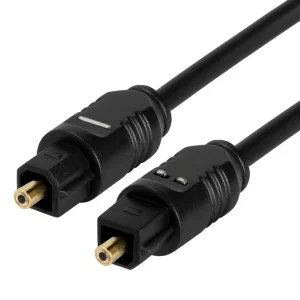
vizio sound bar cables
1. Power Cable for Vizio Sound Bars
What Kind of Power Cord Does a Vizio Sound Bar Use?
Most Vizio sound bars use a 2-prong AC power cable, either:
-
A figure-8 style connector (also called C7 or IEC 60320-C7)
-
Or a round-tip DC adapter for certain compact models
✅ Tip: Check the back of your sound bar or the manual. Vizio typically labels the power port clearly.
Where to Buy a Replacement Vizio Sound Bar Power Cable
If you've lost or damaged your original power cord, look for:
-
Compatibility with your specific Vizio model number (e.g., SB36512-F6, V21-H8, etc.)
-
Proper voltage and amperage (usually AC 100-240V, 50/60Hz)
Universal 2-prong figure-8 cables often work, but for best results, confirm specs or choose official Vizio replacement parts.
2. Optical Cable for Digital Audio
What Does the Optical Cable Do?
The optical digital audio cable (also called TOSLINK) is one of the most common ways to send high-quality sound from your TV to your sound bar. It transmits digital audio signals using light, which helps avoid electrical interference.
How to Connect an Optical Cable to Your Vizio Sound Bar
-
Locate the Optical Out port on your TV
-
Connect one end of the optical cable to the TV
-
Connect the other end to the Optical In on your Vizio sound bar
-
Use the Vizio remote to select 'Optical' as the input source
⚠️ Don’t forget to remove the small plastic caps from both ends of a new optical cable—they protect the fiber tip but block the signal.
3. HDMI ARC vs Optical: Which Should You Use?
While optical is reliable, if your TV and Vizio sound bar both support HDMI ARC, you might consider using that instead:
| Feature | HDMI ARC | Optical Cable |
|---|---|---|
| Supports volume sync | ✅ (via TV remote) | ❌ (separate volume control) |
| Supports Dolby formats | ✅ (Dolby Digital, Dolby Atmos*) | ✅ (limited to Dolby Digital) |
| Cable needed | HDMI cable | Optical (TOSLINK) |
For older TVs or simple setups, optical is a great choice. For newer systems, HDMI ARC offers more control and convenience.
4. FAQs
Q: Can I use any optical cable with my Vizio sound bar?
Yes, optical audio cables follow a standard. As long as both ends have the correct TOSLINK connector, they will work with your Vizio device.
Q: My sound bar isn’t powering on. What should I check?
-
Ensure the power cord is firmly plugged into the wall and sound bar.
-
Try another outlet.
-
If using a DC adapter, check for voltage match and polarity.
-
Look for LED indicators or test with another compatible power cord.
Final Thoughts
For a seamless audio experience with your Vizio sound bar, make sure:
-
You’re using the correct power cable, matched to your model
-
Your optical cable is properly connected (and the caps removed)
-
You’ve selected the correct input source on the sound bar
If you’re looking to replace a missing cable, always match the model number and specs before purchasing.


