
If you're serious about online gaming on Xbox, switching from Wi-Fi to a wired Ethernet connection can make a huge difference. A good Xbox Ethernet cable offers lower latency, faster download speeds, and a more stable connection—perfect for competitive gaming, streaming, and large game downloads.
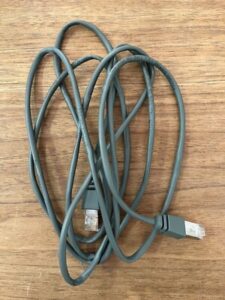
xbox ethernet cable
🎮 Why Use an Ethernet Cable for Xbox?
Wi-Fi can be unreliable, especially in crowded networks or if your router is far from your console. Here’s why many gamers prefer Ethernet:
-
🚀 Faster speeds (up to 10 Gbps with the right cable & network)
-
🎯 Lower ping and lag during multiplayer matches
-
🔄 More consistent connection—no drops during updates or gameplay
-
🔐 Better security than wireless
⚙️ Which Ethernet Cable Is Best for Xbox?
Not all Ethernet cables are created equal. Here’s a quick guide to help you choose:
| Cable Type | Max Speed | Recommended For Xbox? | Notes |
|---|---|---|---|
| Cat5e | 1 Gbps | ✅ Good for most users | Affordable and widely used |
| Cat6 | 1–10 Gbps | ✅ Better for fast fiber | More shielding, less interference |
| Cat6a | 10 Gbps | ✅ Future-proof option | Ideal for long cables or high-traffic networks |
| Cat7 | 10 Gbps+ | ⚠️ Overkill for most | Shielded, thick, more expensive |
💡 Cat6 or Cat6a is usually the best balance for Xbox One, Series X, or Series S.
🛠️ How to Connect Your Xbox to the Internet via Ethernet
-
Plug one end of the Ethernet cable into your Xbox console's LAN port
-
Plug the other end into your router or modem
-
Go to Settings > Network > Network Settings on your Xbox
-
Your Xbox should automatically detect the wired connection
-
Run a network speed test to verify performance
🧩 Do You Need a Special Ethernet Cable for Xbox?
No special or branded cable is required. Any Cat5e or higher Ethernet cable will work, but for optimal performance, choose:
-
Cat6 or Cat6a
-
Shielded (if routing near power lines)
-
Flat or slim cable (for under-carpet or tight setups)
-
High-quality gold-plated connectors (for durability)
🏠 Best Xbox Ethernet Cable Lengths
Choose the length based on your setup:
-
3ft – 10ft for desktop or nearby router
-
25ft – 50ft for room-to-room wiring
-
100ft+ for long-distance setups (Cat6a recommended)
Use cable clips or raceways to keep your gaming area clean and tangle-free.
🎁 Our Recommendations
Top Picks for Xbox Ethernet Cables:
-
Cat6 Flat Ethernet Cable – 25ft
Ultra-thin, flexible, and ideal for gaming setups -
Cat6a Shielded Ethernet Cable – 50ft
Heavy-duty for stable high-speed connection -
Cat5e Budget Cable – 10ft
Affordable and reliable for short runs
🚀 Boost Your Xbox Gaming Performance
Ready to eliminate lag and maximize speed?
TOT Wire & Cable supplies high-quality Ethernet cables for all applications, including:
-
Xbox One, Series X/S
-
PlayStation, PCs, and gaming routers
-
Long-distance or in-wall installations
👉 Contact Us to get custom Ethernet cable lengths or bulk pricing today.


